
The instructions for the Claude Desktop application config file follow at the bottom of the section.
Click on the Customize option on the top left-hand side.

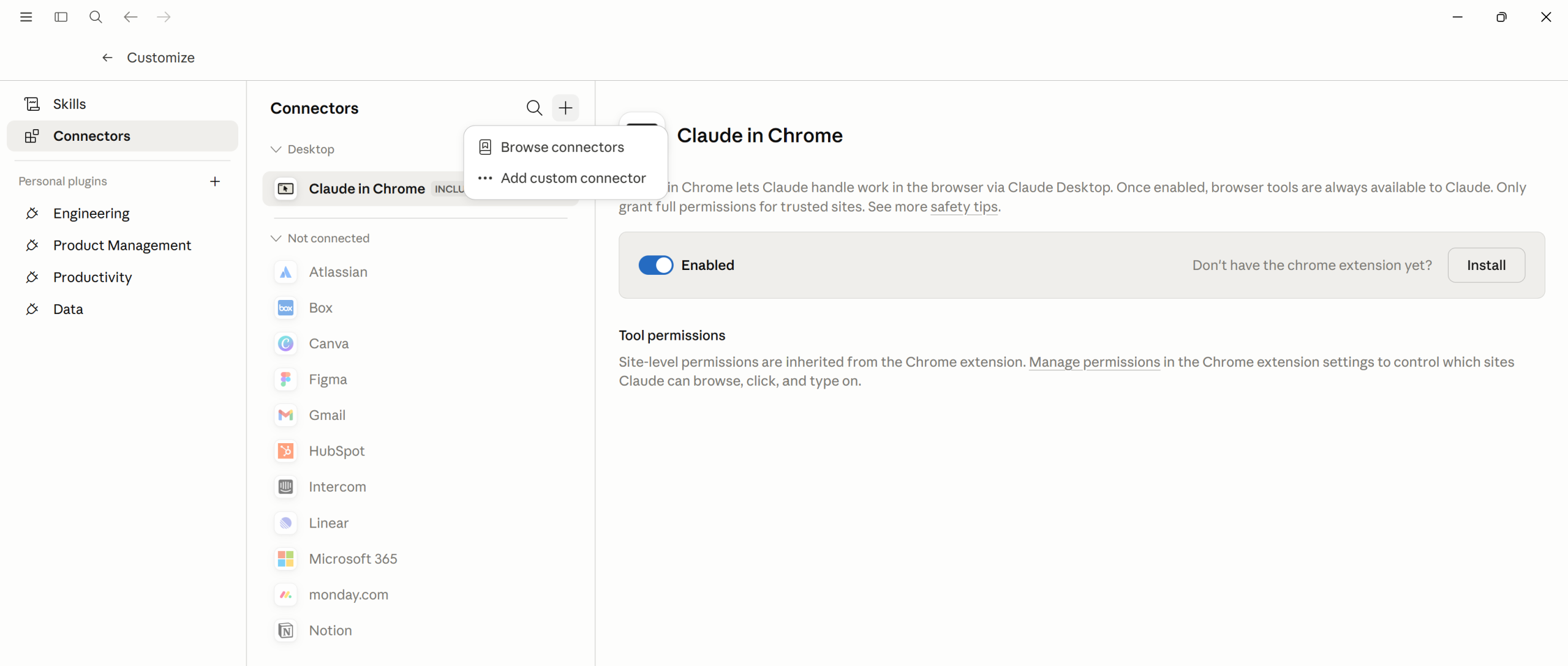
In the Customize window, click on Connectors, then select the + and choose “Add custom connector”
In the “Add custom connector” window, fill in two fields as below. You can copy the URL straight from the code block provided.
https://mcp.hfsresearch.com/mcp
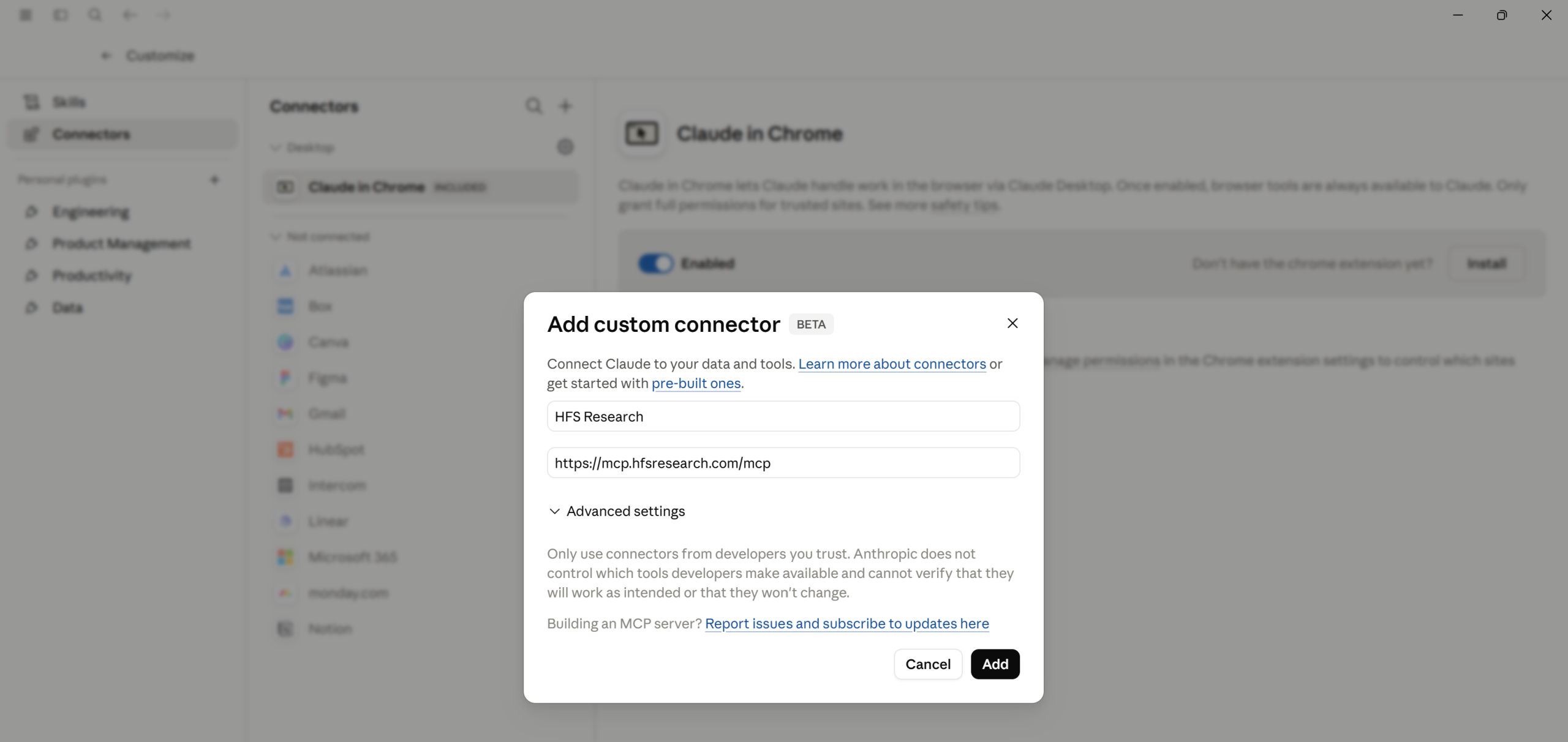
Click Add. Claude will open a new browser tab and redirect you to the HFS MCP login page. Enter your HFS login credentials to sign in.

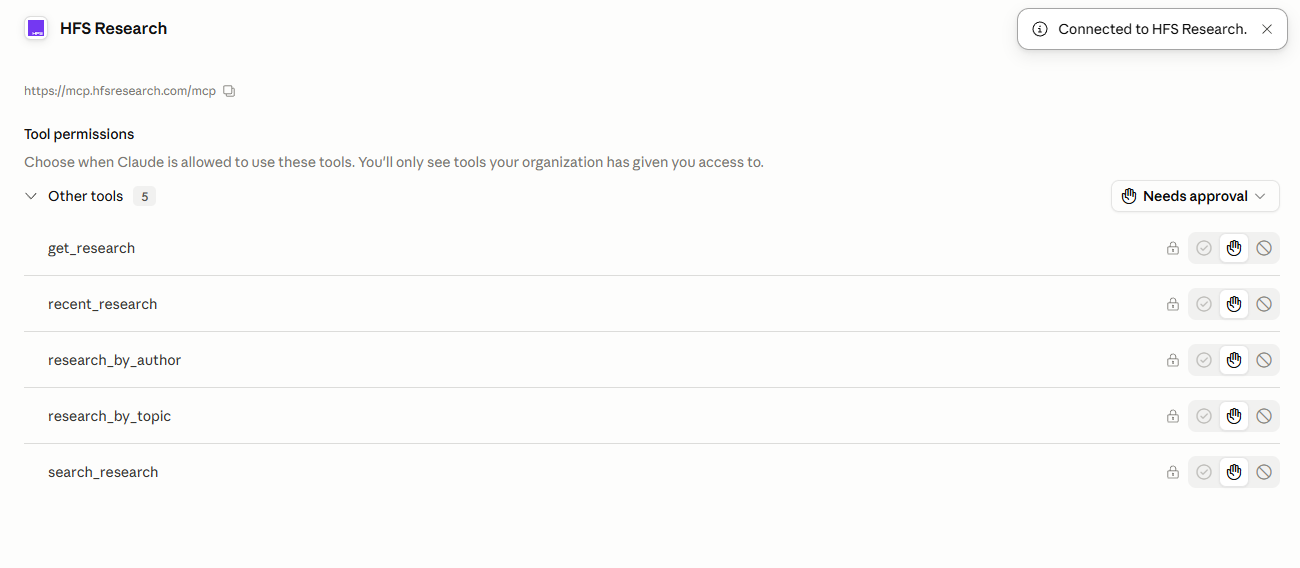
Return to Claude: After signing in, you’ll be redirected straight back to Claude. The HFS Research connector will now appear in the Connectors menu. When you click on the connector your will be able to adjust permissions.
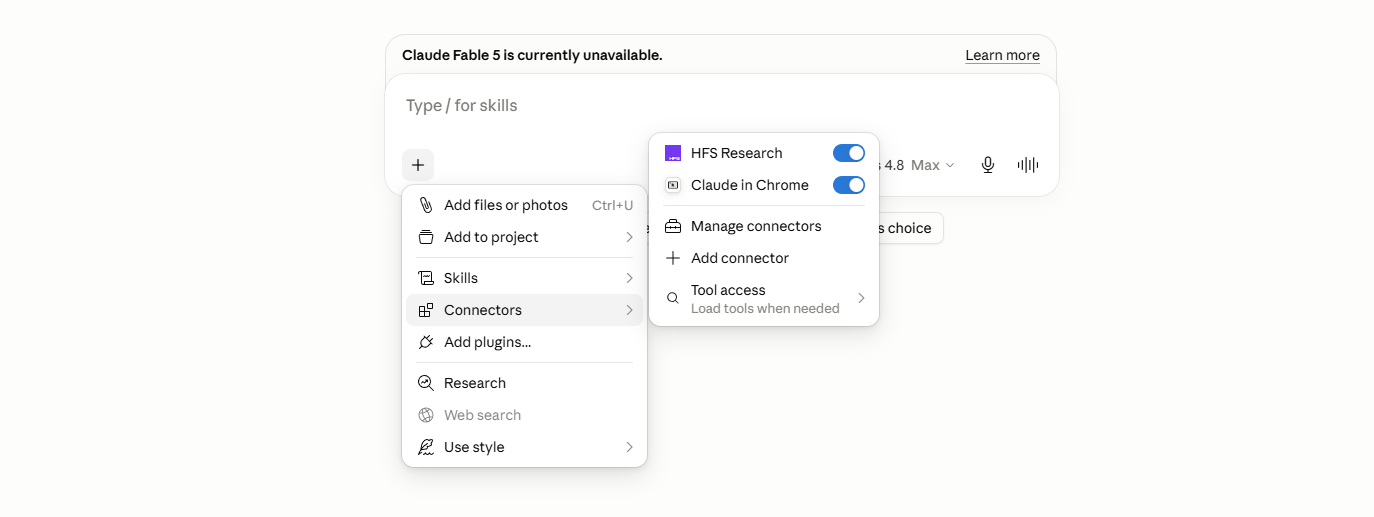
Confirm HFS Research is switched on: Open a new Chat. Click the + icon to the bottom left of the chat box, hover over “Connectors”, and check that the HFS Research toggle is switched on. If it’s off, switch it on so Claude can use it for future questions about research on our website.
Start a new conversation with Claude. The HFS Research tool icon will appear in the message bar. Ask any business question and Claude will route relevant queries through HFS, and you’ll see citation links back to the source PDF on hfsresearch.com directly inside the response.
OpenAI’s support for remote MCP servers is rolling out across Plus, Team, and Enterprise plans. Exact menu paths vary by ChatGPT release channel and account type. Custom connectors on Team and Enterprise plans typically require workspace admin approval; confirm with your IT team before starting
Sign in to your ChatGPT portal. Click your profile avatar in the bottom-left and choose Settings.

Create a New App: In your ChatGPT workspace’s Apps panel (Team and Enterprise admins use the path chatgpt.com/admin/apps), click + Create. In the New App dialog, fill in:
HFS Research (or your preferred label)https://mcp.hfsresearch.com/mcp
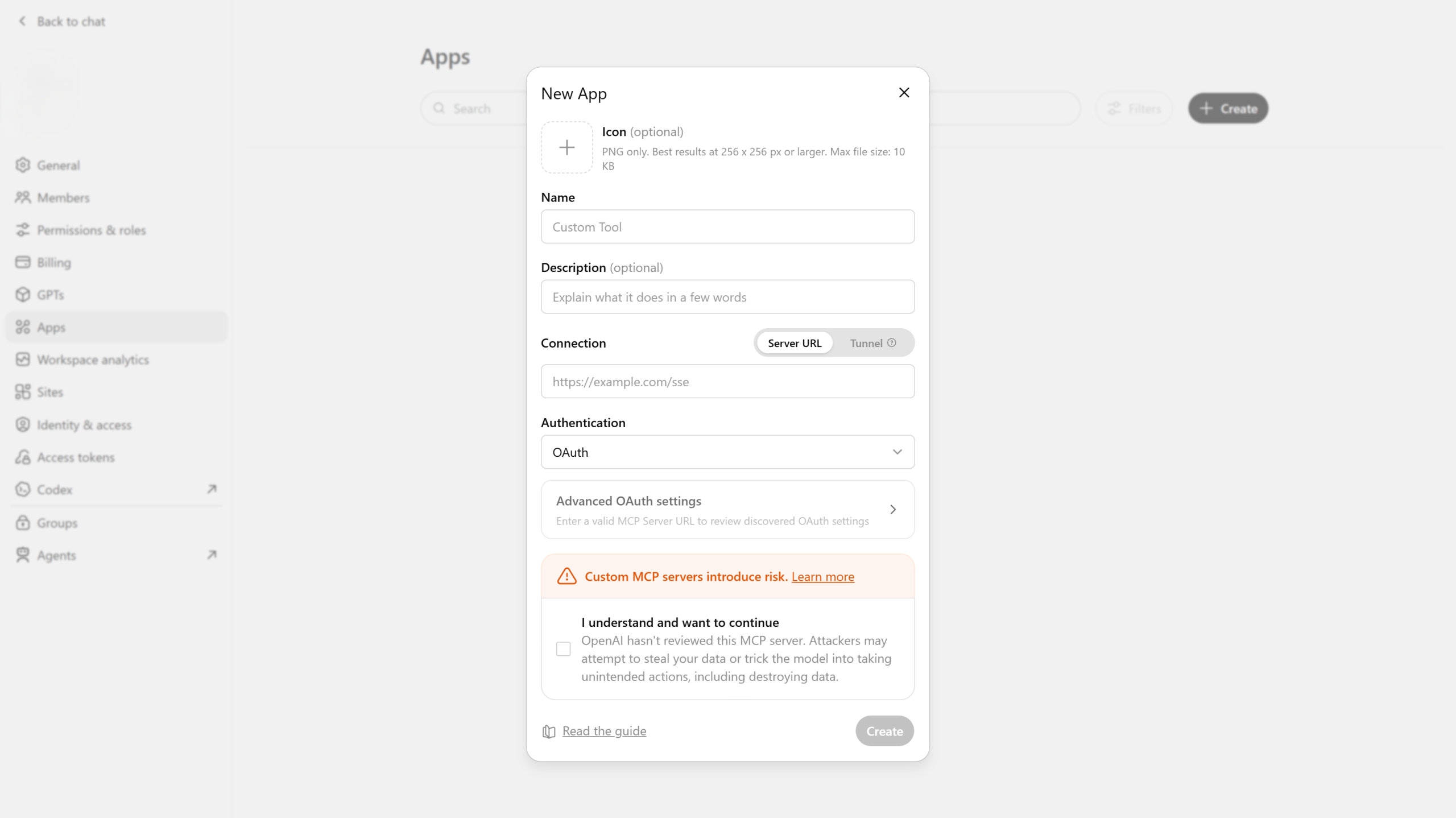
When you hit Create, ChatGPT doesn’t switch the app on right away — it saves it as a draft. At this point only you (the admin who created it) can see it. Your teammates won’t find the HFS Research tool in their chats yet.
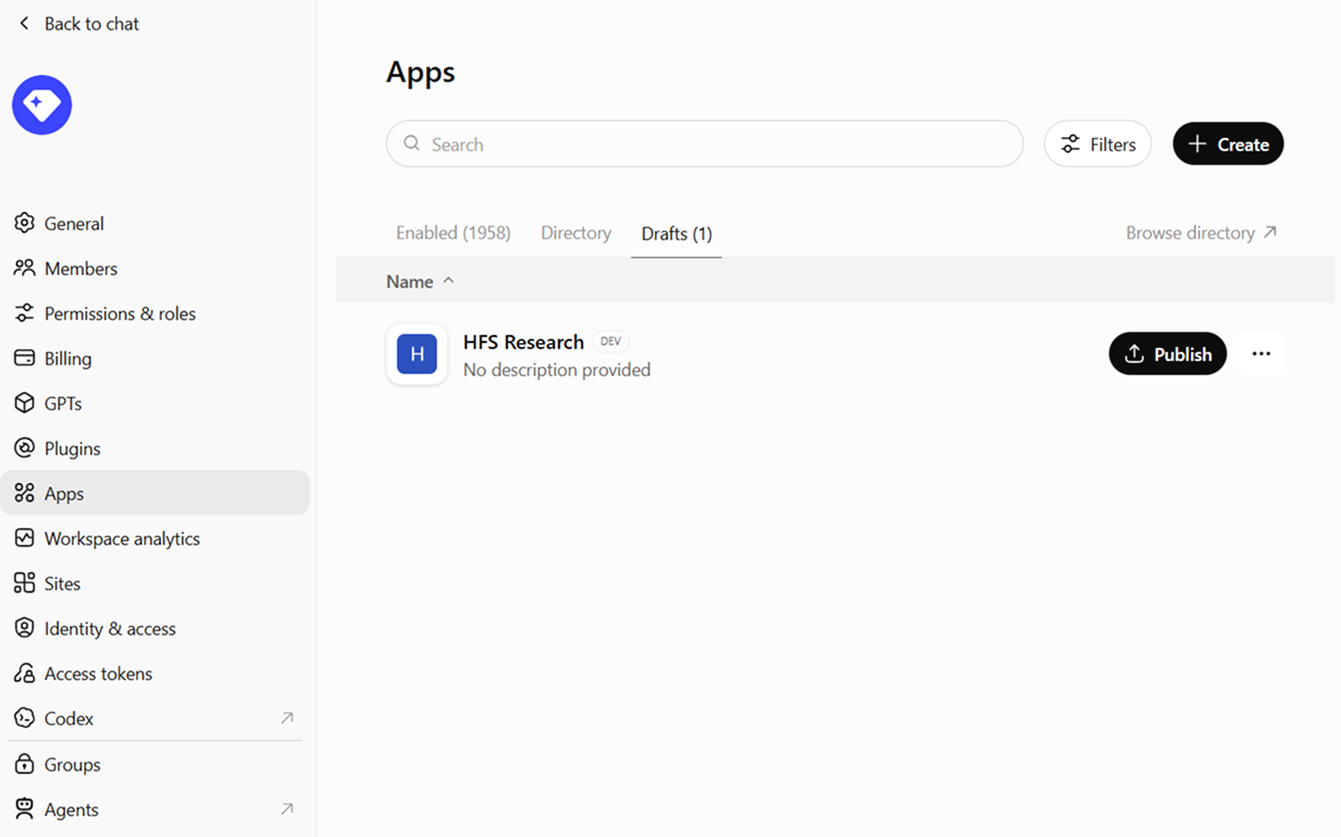
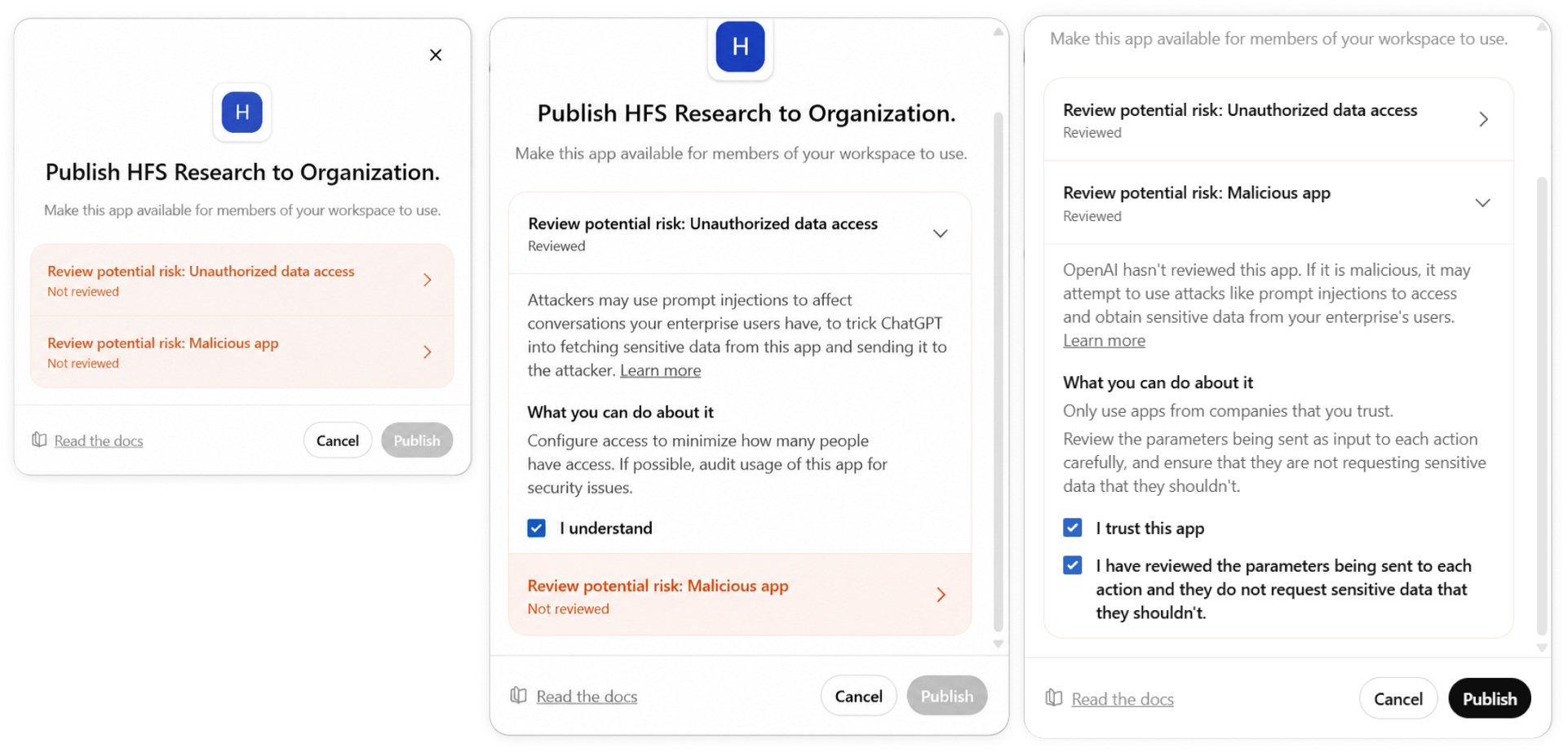
Publish it to your workspace (Team and Enterprise admins only). Go back to Settings → Apps and open HFS Research — it’ll have a Draft label. Click Publish button. Before it goes live, ChatGPT asks you to review two standard risk notices:
Once both are acknowledged, confirm and the label flips from Draft to Published. Your team can now see the tool — they may just need to refresh ChatGPT once.
Sign in to HFS: Once you’ve published, the connector is ready to use right away. The first time you (or any teammate) actually uses it, ChatGPT opens a new browser tab and takes you to the HFS sign-in page.

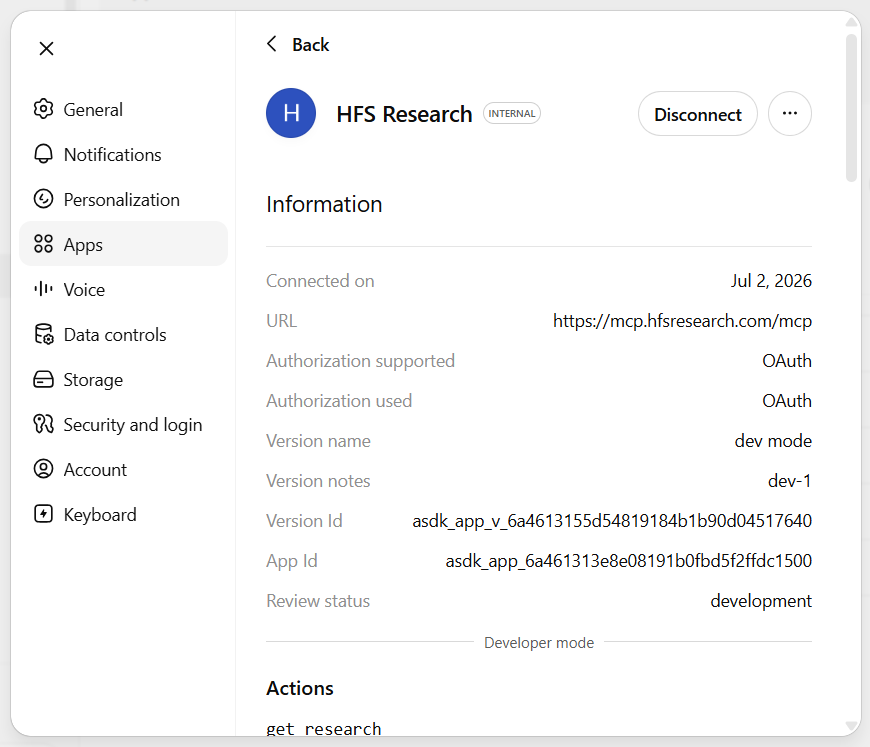
Start a new conversation with ChatGPT. The HFS Research tool icon will appear in the message bar. Ask any business question and ChatGPT will route relevant queries through HFS, and you’ll see citation links back to the source PDF on hfsresearch.com directly inside the response.
If you don't have an account, Register here |
With the exception of our Horizons reports, most of our research is available for free on our website. Sign up for a free account and start realizing the power of insights now.
Our premium subscription gives enterprise clients access to our complete library of proprietary research, direct access to our industry analysts, and other benefits.
Contact us at [email protected] for more information on premium access.

